
For: Administrators, programme managers, leadership · 1 minute read
Click a mentee's name anywhere in DEOS to open their page.
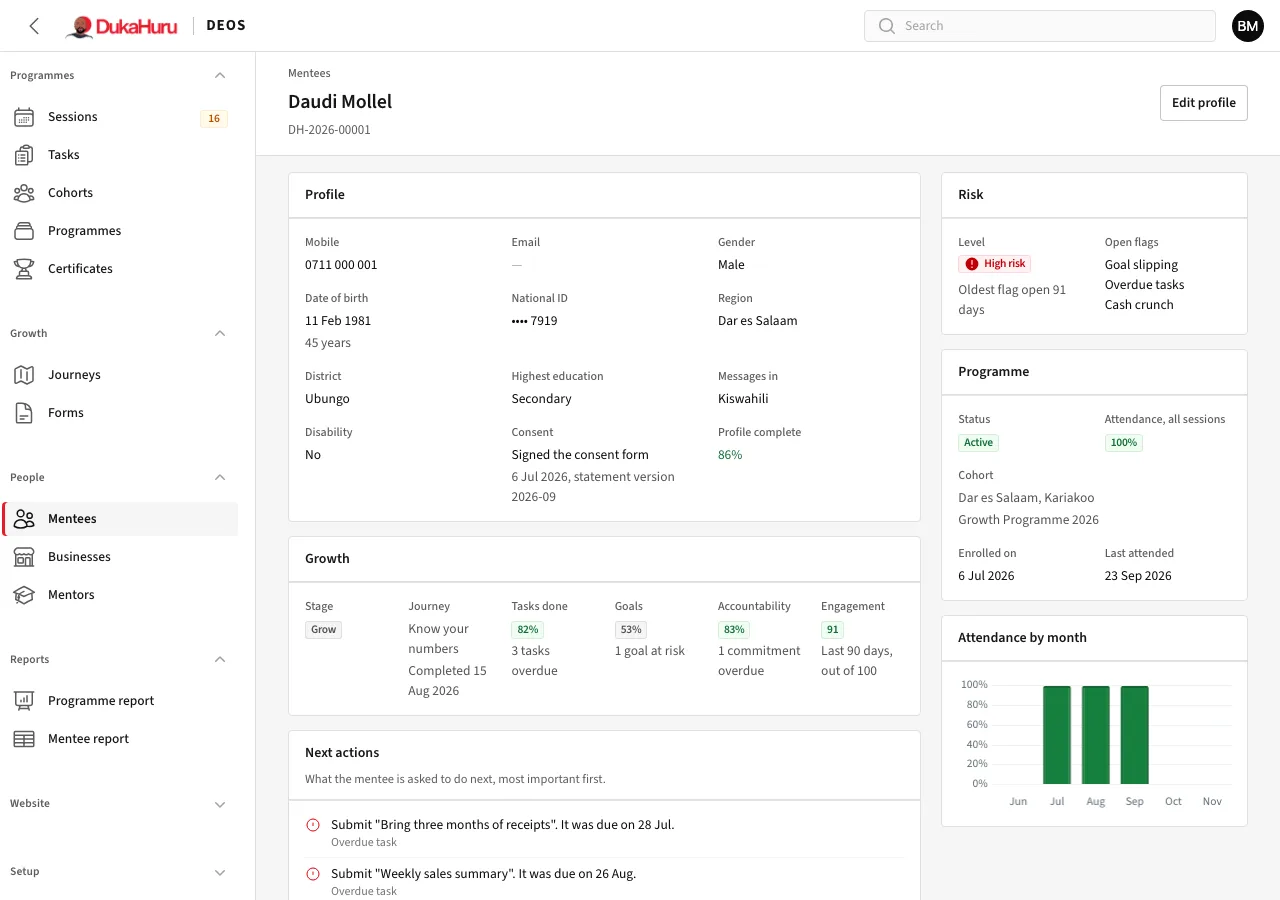
What it shows
- Profile: contact details, region, education, consent and how complete the profile is. Edit profile changes them.
- Growth: their stage and journey, tasks done, goals, accountability and their Engagement score.
- Next actions: what DEOS suggests they do next, most important first.
- Risk: their risk level and the open flags. Only staff and mentors see this; mentees never do.
- Programme: their cohort, status, attendance and when they last attended.
Below are tabs for their tasks, goals, attendance, accountability updates, risk flags, support requests, follow-ups, notes, messages, journey, assessments, stage history, enrolments, businesses, certificates and the change history.
Common actions
- Assign mentor: give the mentee a mentor, or change the mentor.
- Give a task: a task for this mentee only.
- Add goal, Record update, Plan a follow-up, Add a note: see Goals, updates and follow-ups.
- Recommend stage change: suggest moving them to the next growth stage.