
For: Administrators, programme managers · 2 minutes read
A programme is what DukaHuru runs, such as the growth programme. A cohort is a group of mentees in that programme, usually by place: for example "Dar es Salaam, Kariakoo".
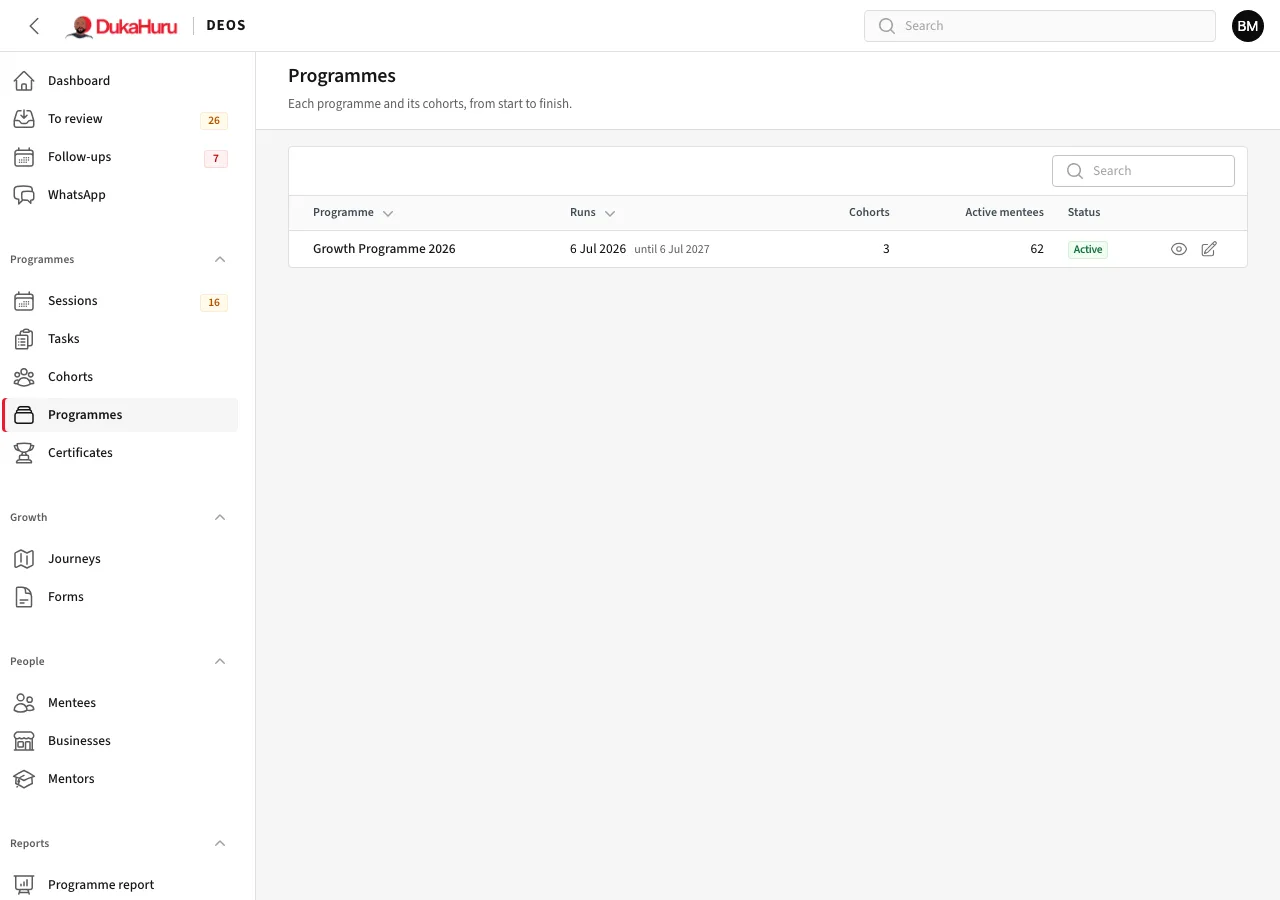
Create a programme
- Open Programmes and click Create programme.
- Give it a name and dates, and choose its managers: the programme managers who run it. A manager sees the cohorts, mentees and sessions of their programmes.
- Save.
Create a cohort
- Open Cohorts and click Create cohort.
- Choose the programme, give the cohort a name and code, its region, start date and, if you want, an end date and the number of places.
- Choose how often mentees send their accountability update (weekly or every two weeks).
- Turn on Show on the website if people should see it as an open intake on dukahuru.co.tz.
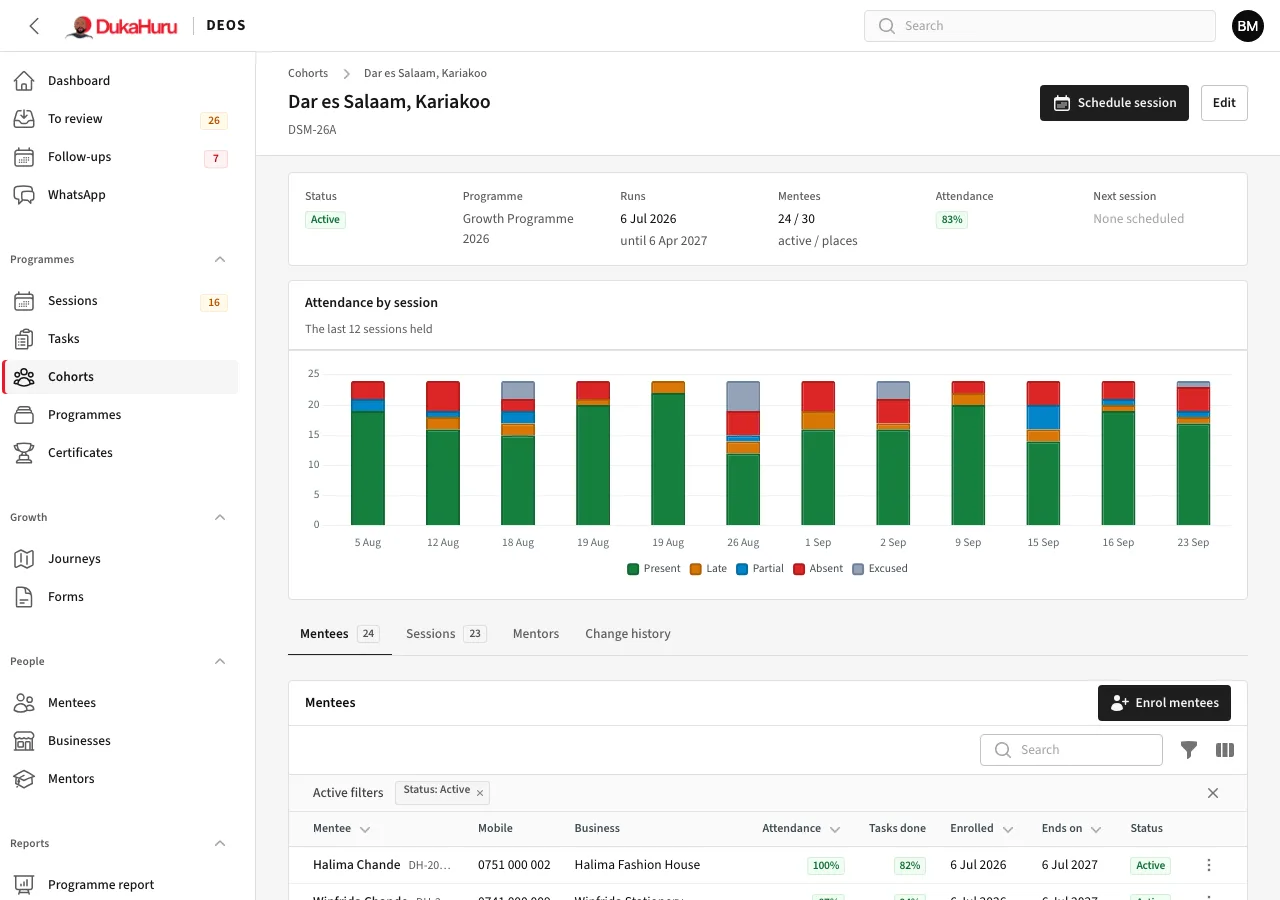
The cohort's page shows its attendance, and tabs for its Mentees, Sessions, Mentors and the change history.
Each mentee's enrolment lasts one year from the day they join, whatever the cohort's dates. See Enrolments.