
For: Administrators, programme managers · 2 minutes read
DukaHuru holds a bootcamp on the second Monday of every month. DEOS can schedule it for you, a few months ahead.
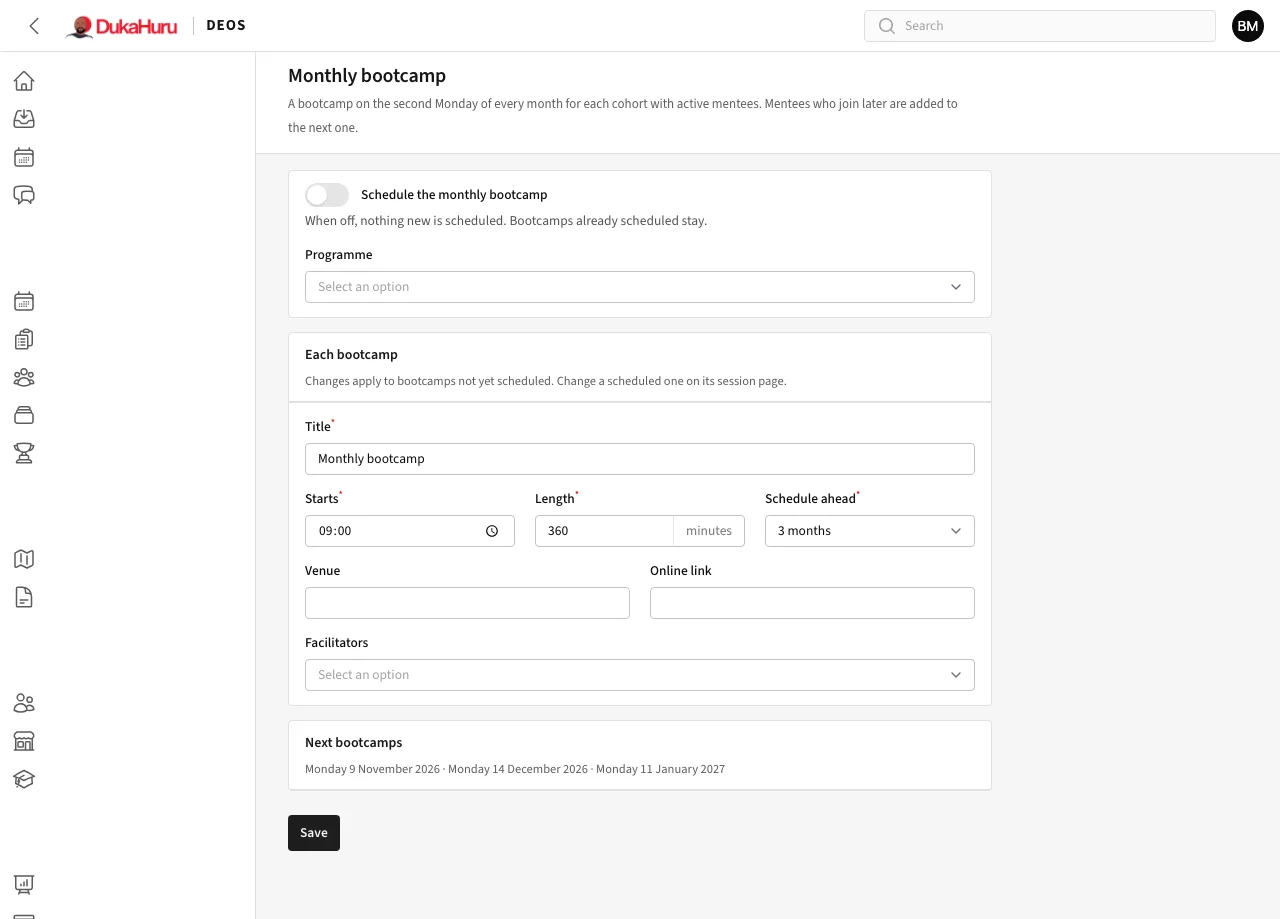
Turn it on
- Open Setup → Monthly bootcamp.
- Turn on Schedule the monthly bootcamp and choose the programme.
- Under Each bootcamp, set the title, the start time, the length in minutes, the venue or online link, and the facilitators.
- Schedule ahead: how many months of bootcamps to keep scheduled (three is a good start).
- Click Save. DEOS schedules the bootcamps straight away and says how many.
The Next bootcamps box shows the coming dates.
What happens then
- Every cohort of the programme that has mentees on an active enrolment gets a Bootcamp session on each second Monday.
- The cohort's mentees are on its register, and mentees who join later are added to the next bootcamps.
- Every night DEOS adds the next month, so there are always a few months scheduled.
Changing one bootcamp
Changes on this page apply to bootcamps not yet scheduled. To move, cancel or change one bootcamp, open it under Sessions and edit it there. DEOS never schedules a second bootcamp in a month that already has one, even if you moved it to another day.
To stop, turn the switch off. Bootcamps already scheduled stay.