
For: Administrators, programme managers, mentors · 2 minutes read
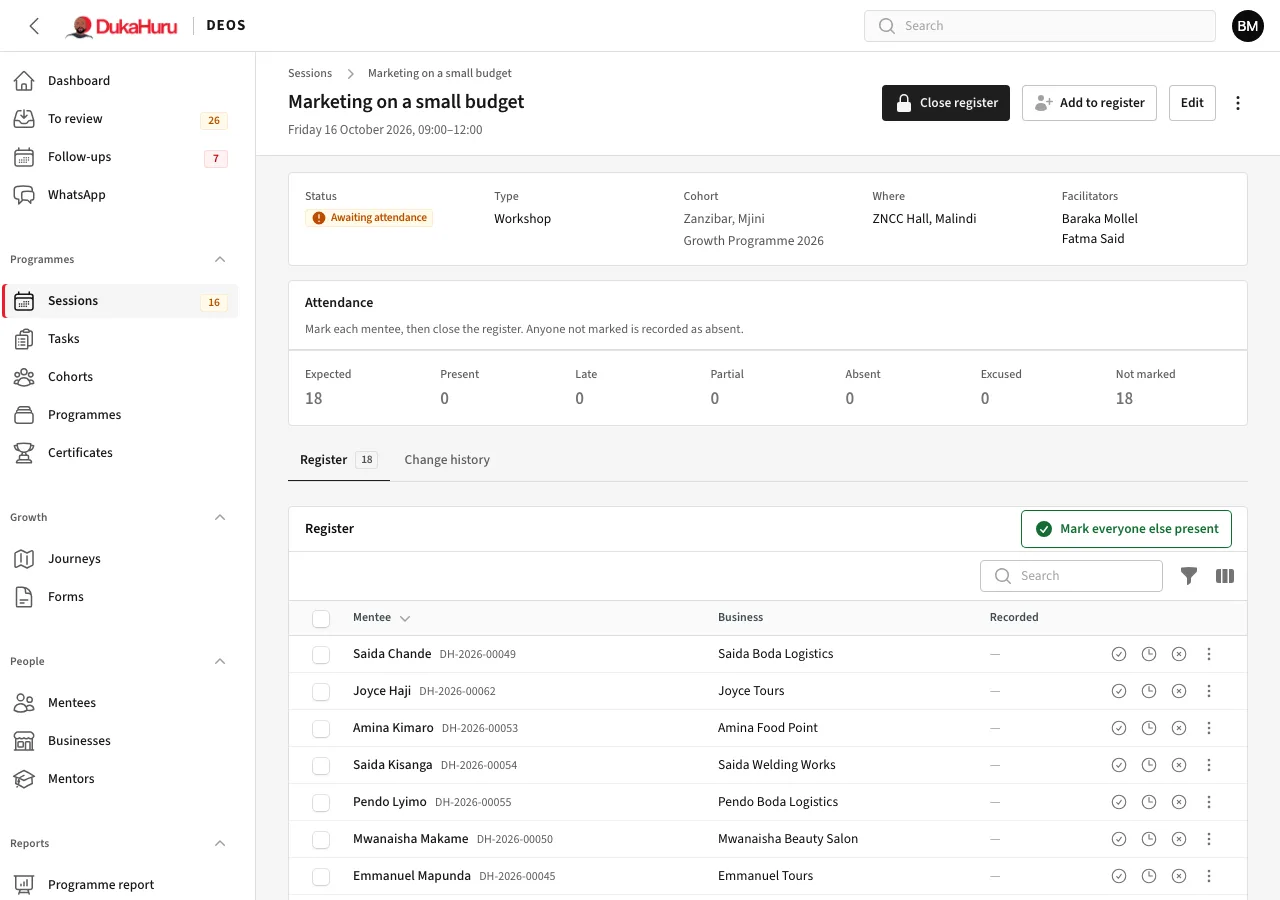
Attendance is taken on the session's page.
Check-in with the QR code
- Open the session and choose Check-in QR code from the menu (⋮). Show it on a screen or a phone.
- Mentees scan it with their phone camera and are signed in to the DukaHuru app, which records them present (or late if they come more than 15 minutes after the start).
- The code changes every minute, so a photo of it soon stops working. Check-in opens 30 minutes before the start and closes at the end.
Mark or correct by hand
In the Register, each row has buttons for present, late and absent, and the menu has partial and excused. Tick several rows to mark them together, or click Mark everyone else present.
Use Add to register for someone who came but was not on the list.
Close the register
When attendance is complete, click Close register. Anyone not marked is recorded as absent, and the attendance counts in reports and scores. The dashboard and the menu badge show registers still to close.
How attendance is counted: late counts as present, partial as half, and excused is left out.