
For: Administrators · 1 minute read
Entrepreneurs can register themselves at dukahuru.co.tz/app/register. Their account opens once the registration fee is paid by mobile money.
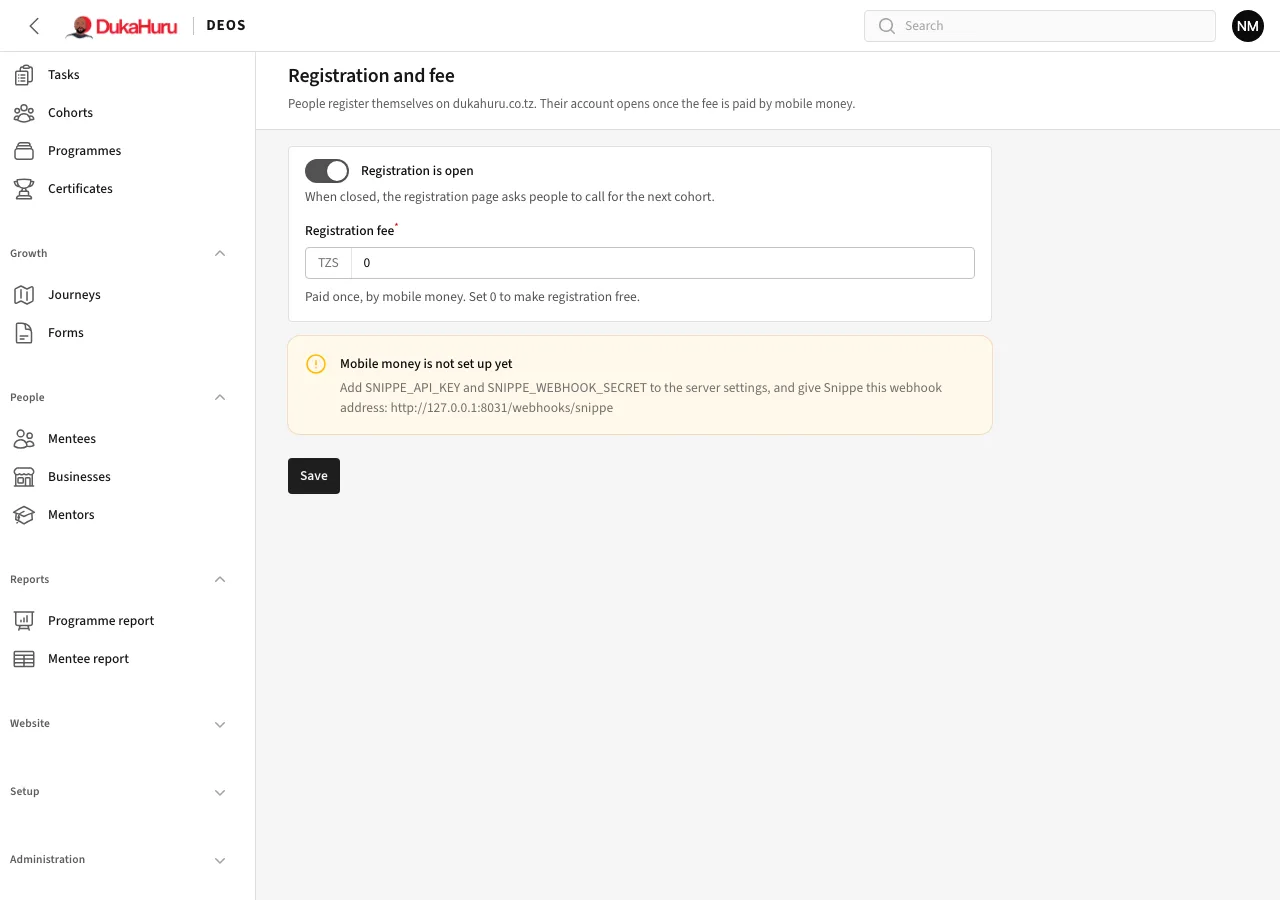
Change the settings
- Open Administration → Registration and fee.
- Registration is open: when off, the registration page asks people to call for the next cohort.
- Registration fee: the amount in TZS, paid once. Set 0 to make registration free.
- Click Save.
Payments
Payments are made with Snippe: the person enters their mobile number and a payment prompt comes to their phone. Every payment, from registrations and bookings, is listed under Administration → Payments with its status.
If DEOS does not hear back from the payment provider, it checks payments still waiting every few minutes, so a payment that went through is not missed.
While mobile money is not set up on the server, the page shows a yellow note and the website says paying online is not available.