
For: Administrators, programme managers · 2 minutes read
Every certificate has a number and a QR code. Anyone can check it is genuine at dukahuru.co.tz/c/ followed by its code.
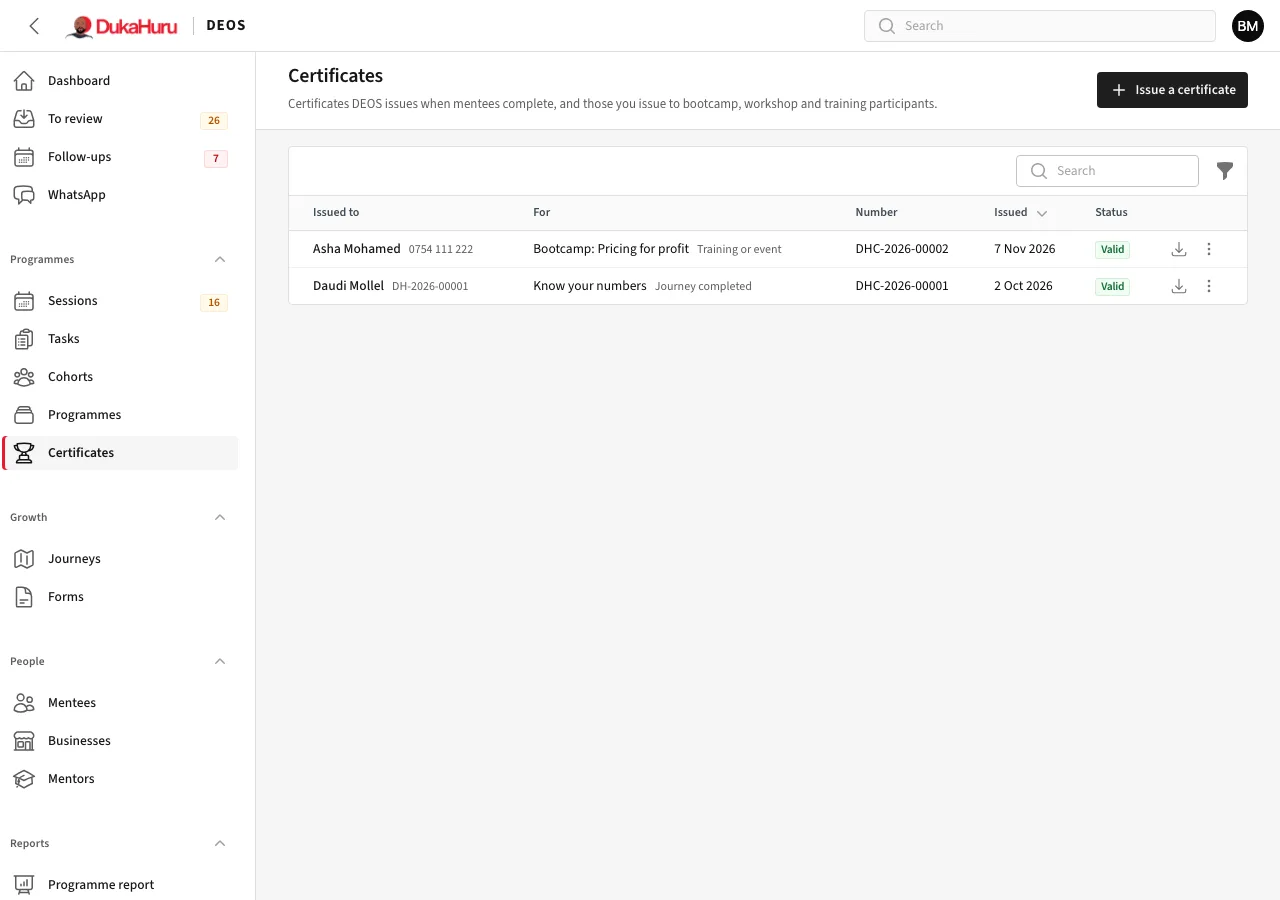
Certificates DEOS issues
- Programme completed: when an enrolment ends as completed, including at the end of its year.
- Journey completed: when a mentee completes a journey.
They appear on the mentee's page and in the app, where the mentee can download them.
Issue a certificate to anyone
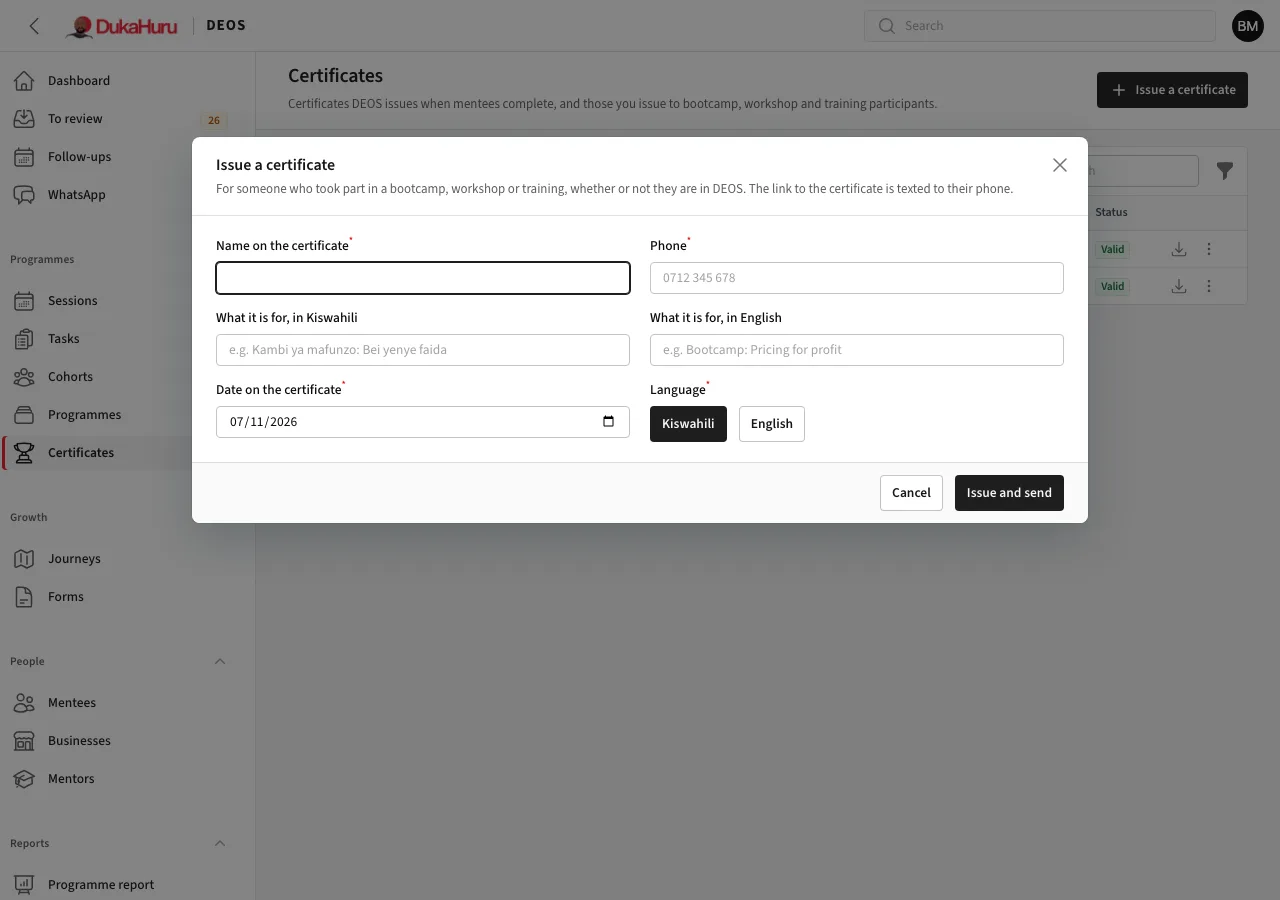
For bootcamp, workshop or training participants, whether they are in DEOS or not:
- Open Certificates and click Issue a certificate.
- Enter the name as it should appear, their phone, what it is for in Kiswahili and English, the date, and the language of the certificate.
- Click Issue and send. The link to download it is texted to their phone.
Other actions
From the row's menu: Download PDF, Open the public check page, Send by SMS again, and Revoke a certificate issued by mistake. A revoked certificate stays on record, and its check page says it is no longer valid.